

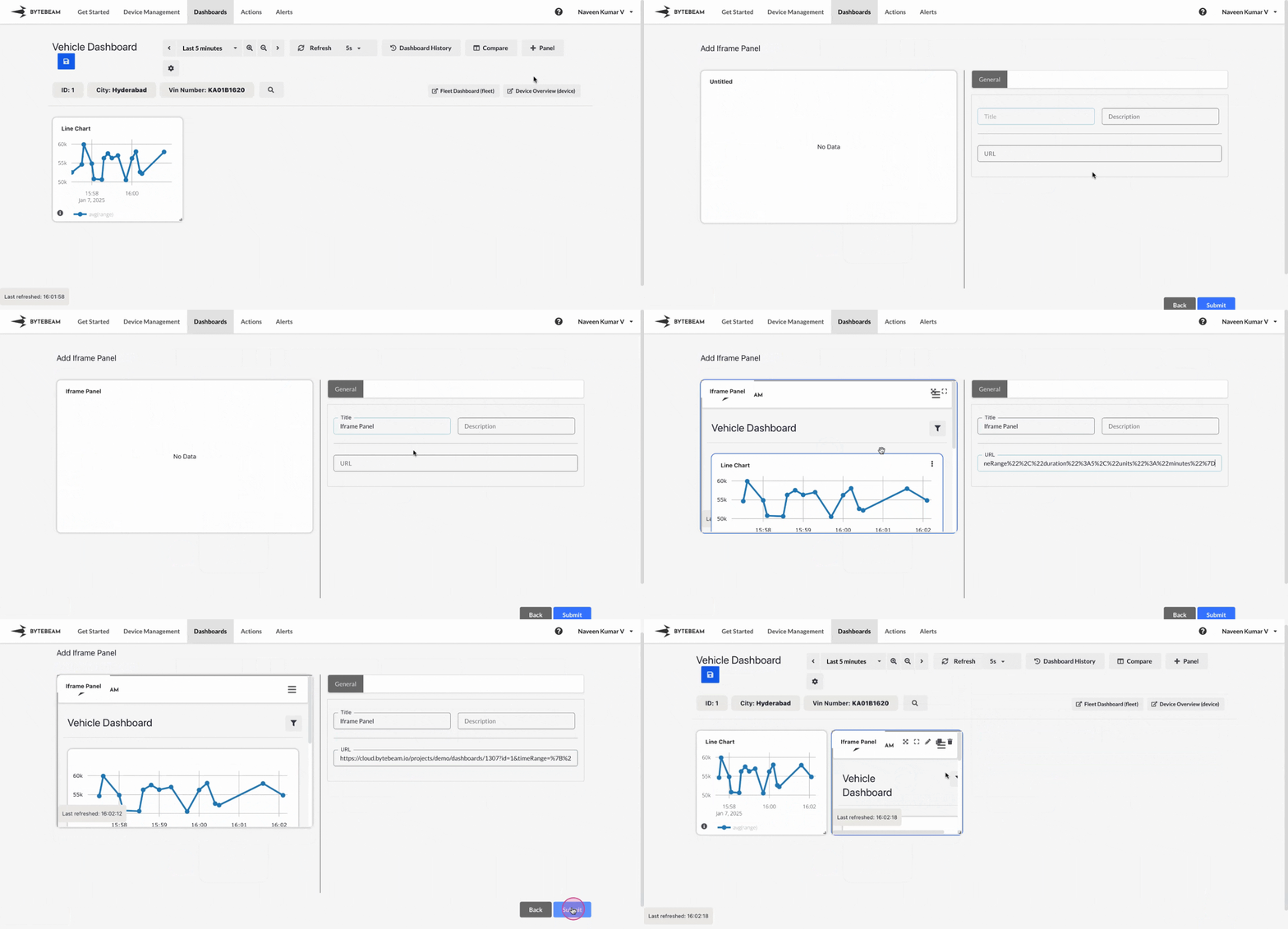
Add Iframe Panel
1
Navigate to Dashboards
Go to the Dashboards tab, select the desired dashboard, and click on the + Panel button to create a new panel.
2
Select Iframe Panel
Choose Iframe Panel from the list of available panels.
3
Configure URL
- Enter the URL of the content you want to embed in the Iframe panel.
- Ensure the URL is accessible and formatted correctly.
- Optionally, preview the embedded content to verify it displays as expected.
4
Preview and Submit the Panel
- Preview the Iframe Panel to confirm that the content is embedded correctly.
- Once satisfied, click Submit to add the Iframe Panel to the dashboard.
The panel will now display the embedded content within the dashboard layout.
The embedded content should allow iframe embedding; some websites may block embedding due to security policies.