

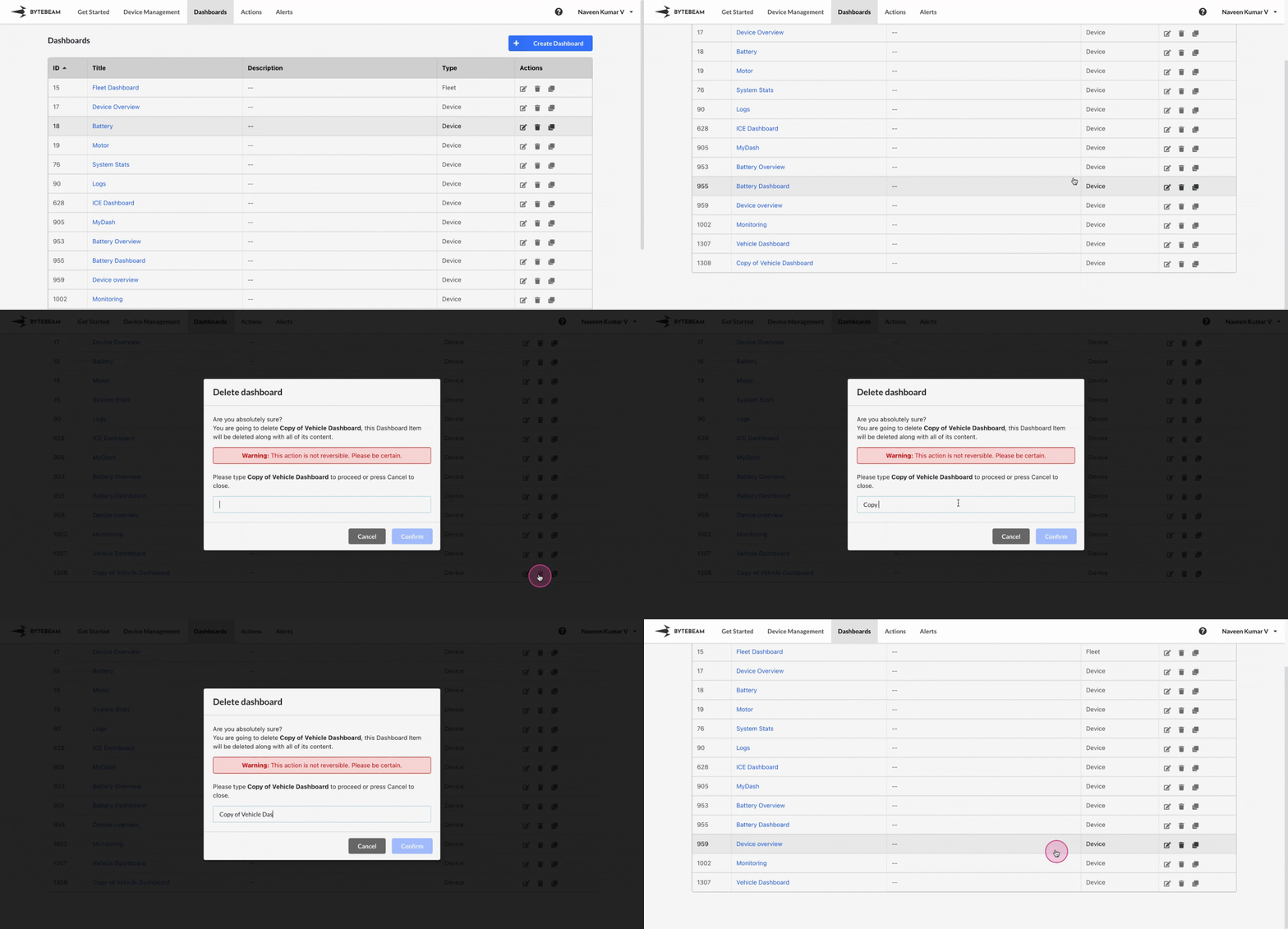
 To delete a dashboard in the Bytebeam console, follow these steps carefully:
1
Navigate to Dashboards
Go to the Dashboards tab in the Bytebeam console to view the list of available dashboards.
2
Click on the Delete Icon
Locate the dashboard you wish to delete and click on the Trash 🗑 icon next to it.\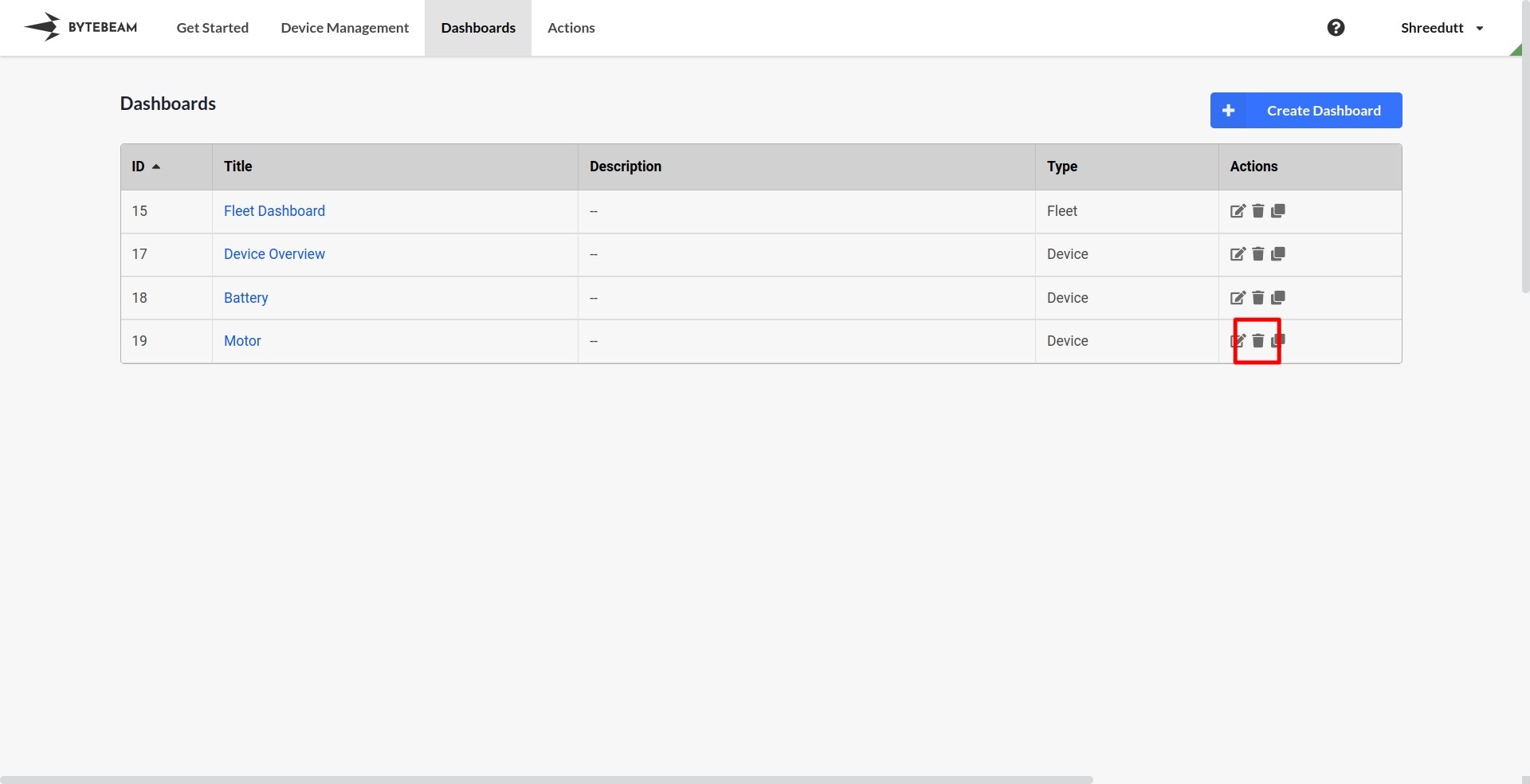
3
Enter the Dashboard Name
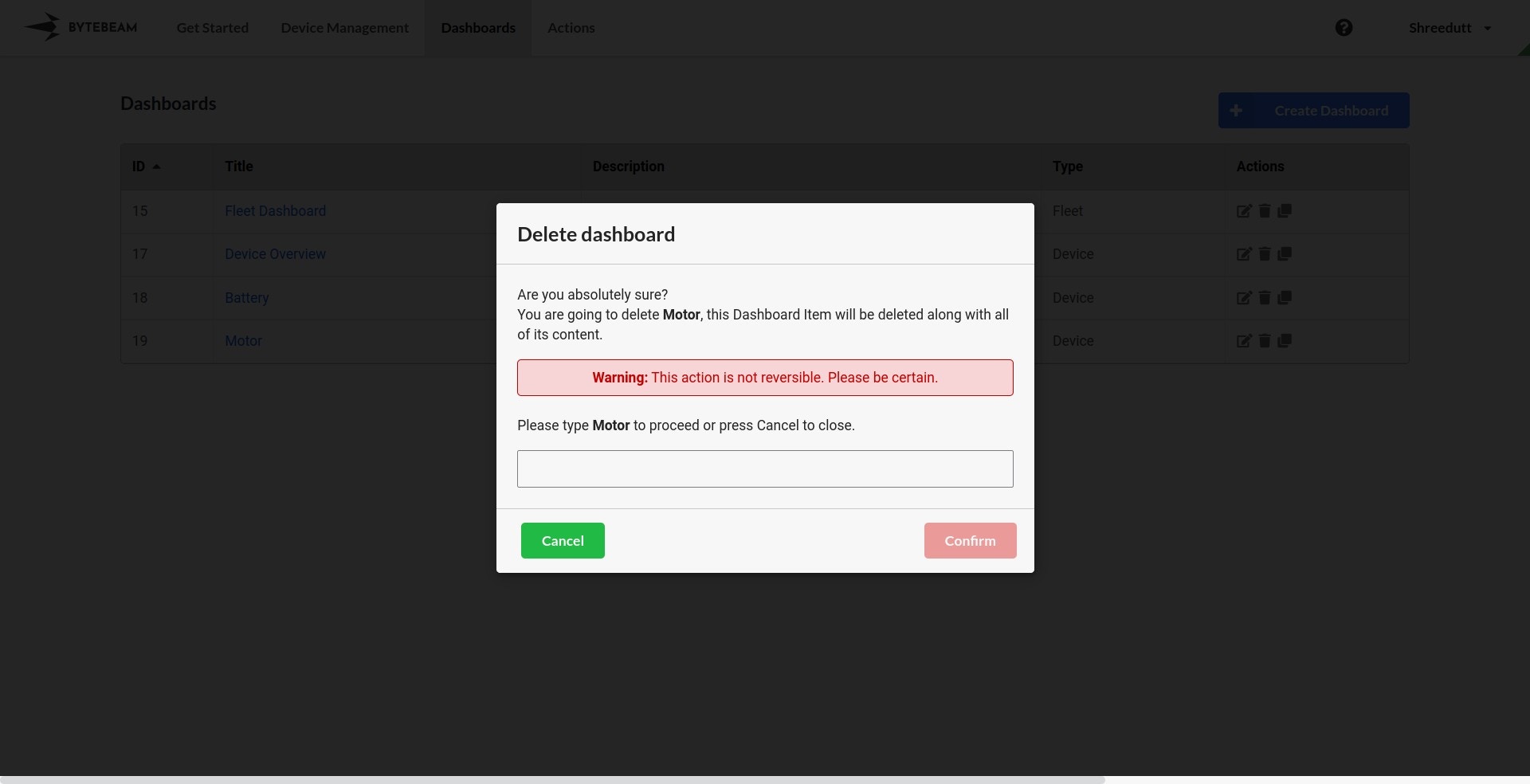
- A confirmation modal will appear.
- Enter the exact name of the dashboard you wish to delete in the input field to confirm.\
4
Click Confirm
Click on the Confirm button to delete the dashboard. This action cannot be undone.