

Steps to Share a Dashboard
1
Navigate to Dashboards
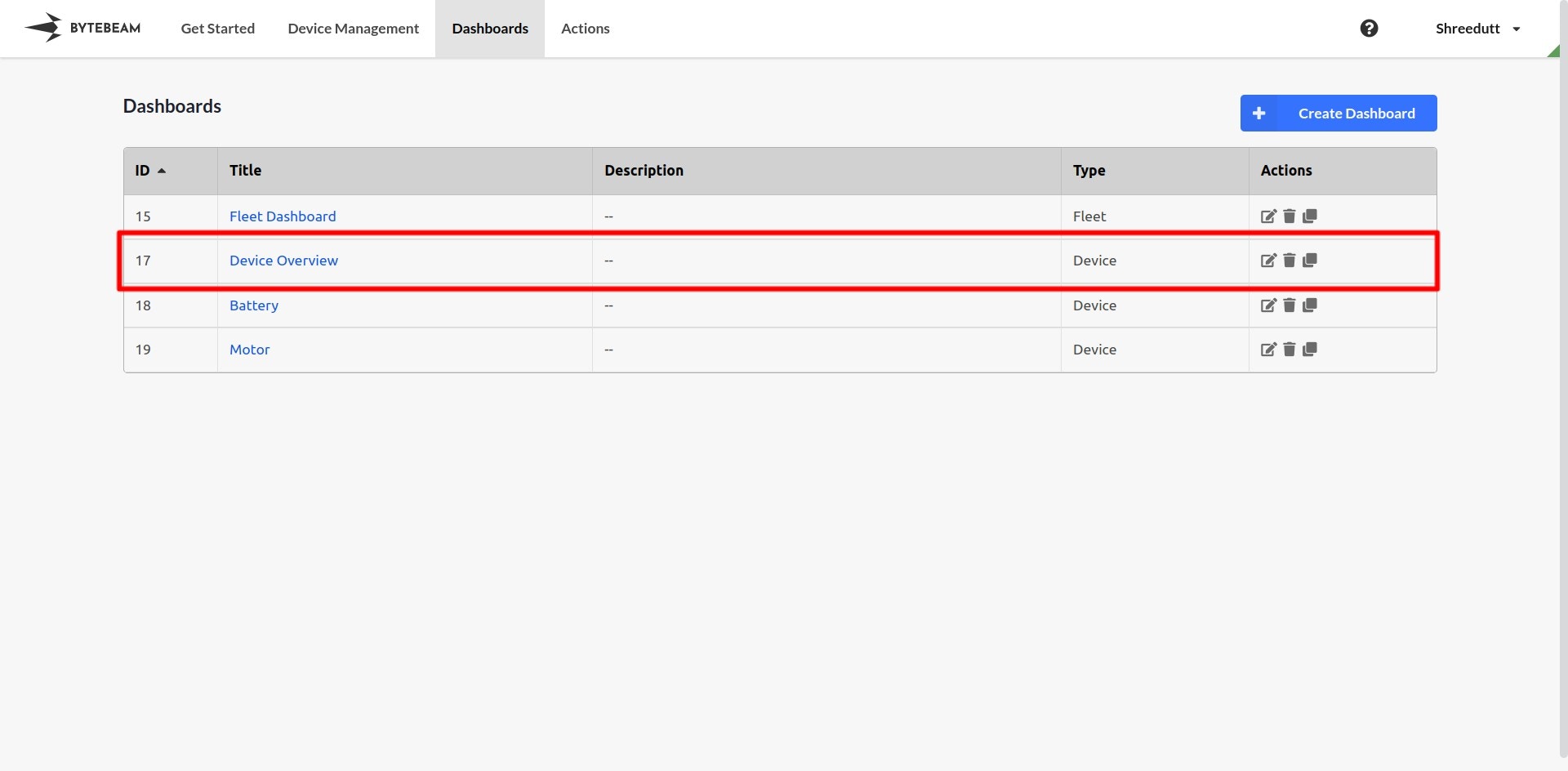
Go to the Dashboards tab in the Bytebeam console and locate the dashboard you want to share.
2
Access Dashboard Settings
- Click on the pencil ✎ icon next to the dashboard name.
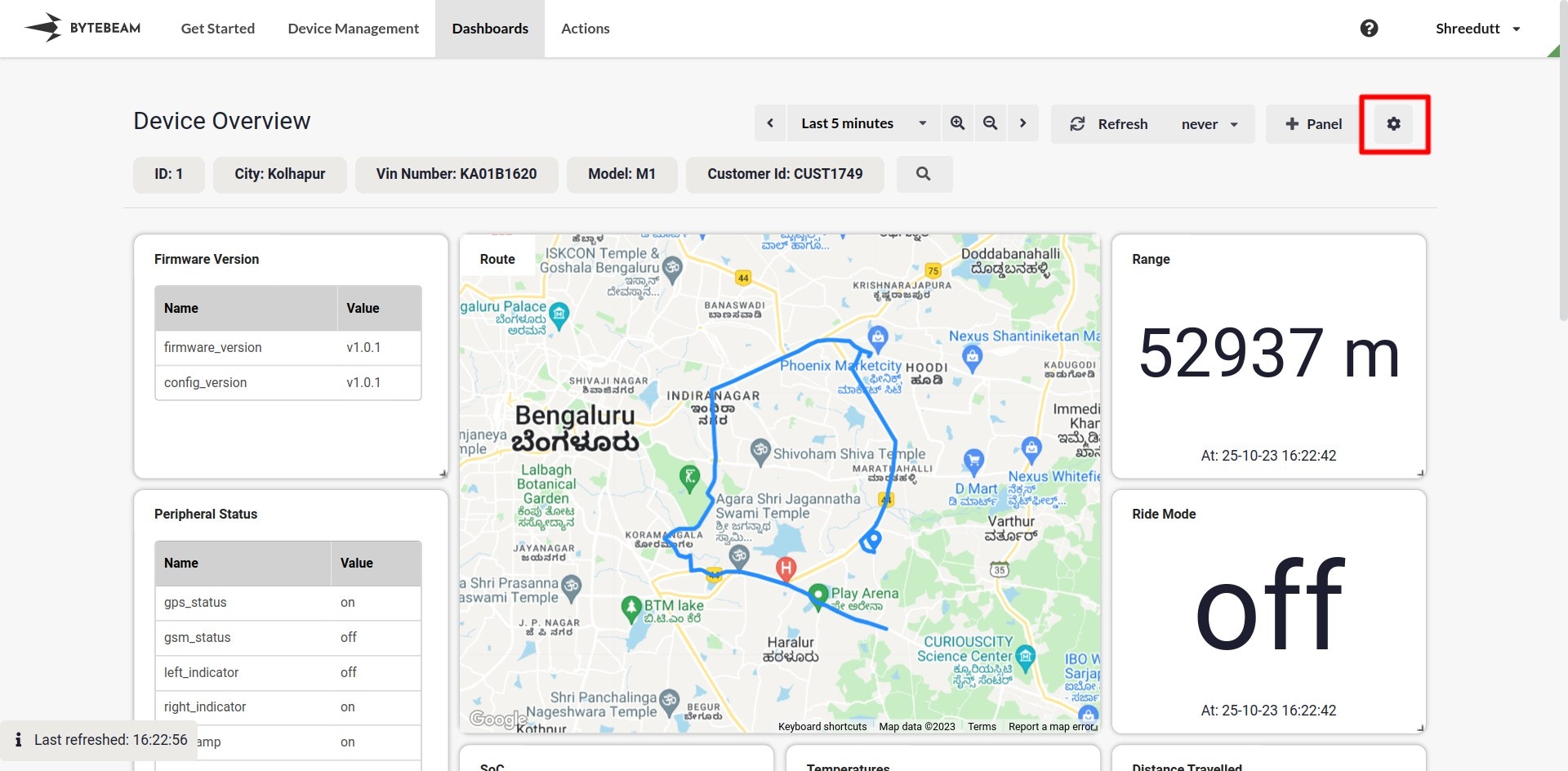
- Alternatively, if the dashboard is already open, click on the Gear icon in the top-right corner to access its settings.
 \
\
3
Set Access Control
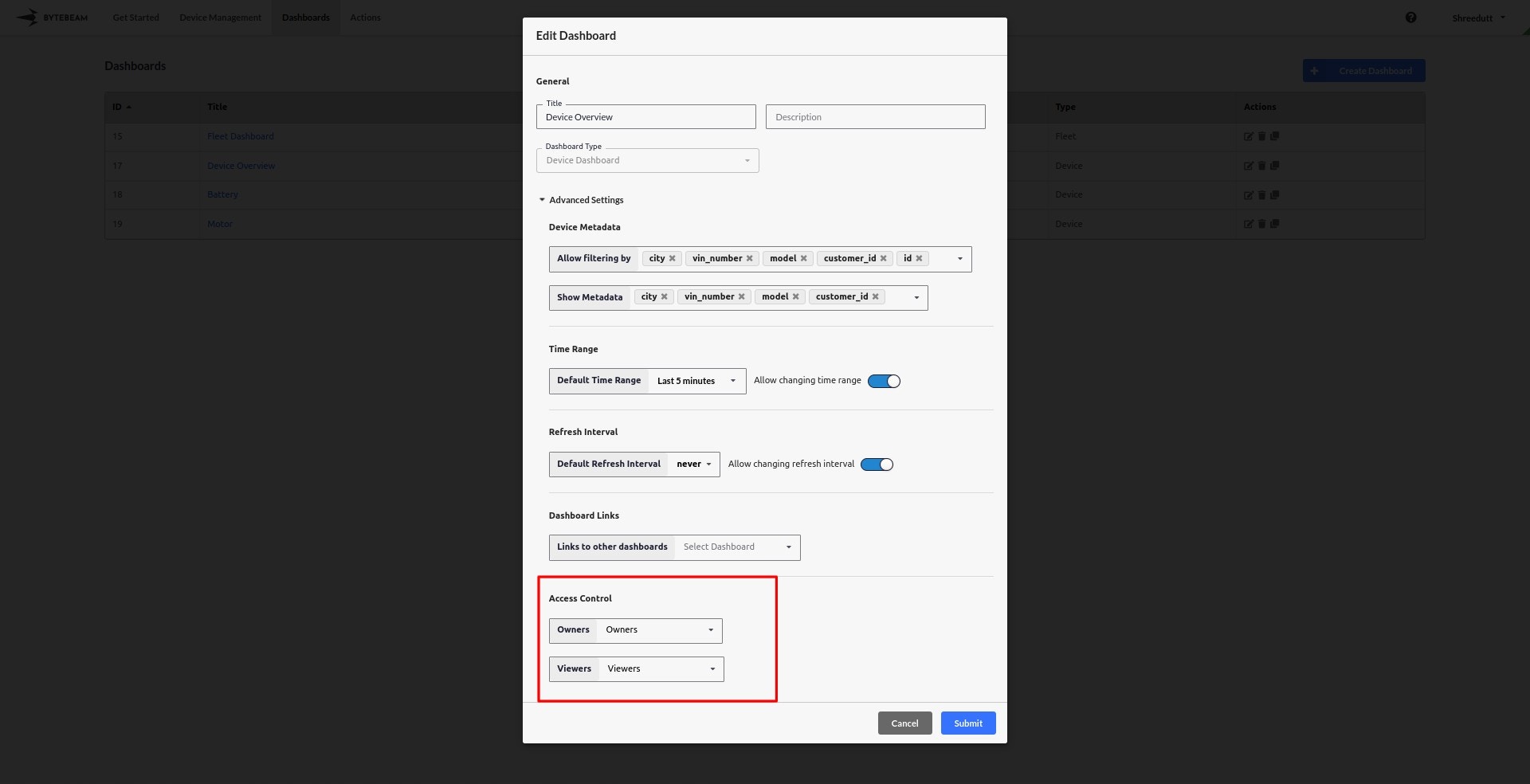
- In the settings modal, navigate to the Access Control section.
- Specify:
- Viewers: Users or roles who can view the dashboard.
- Owners: Users or roles who can edit the dashboard.\
4
Assign Roles
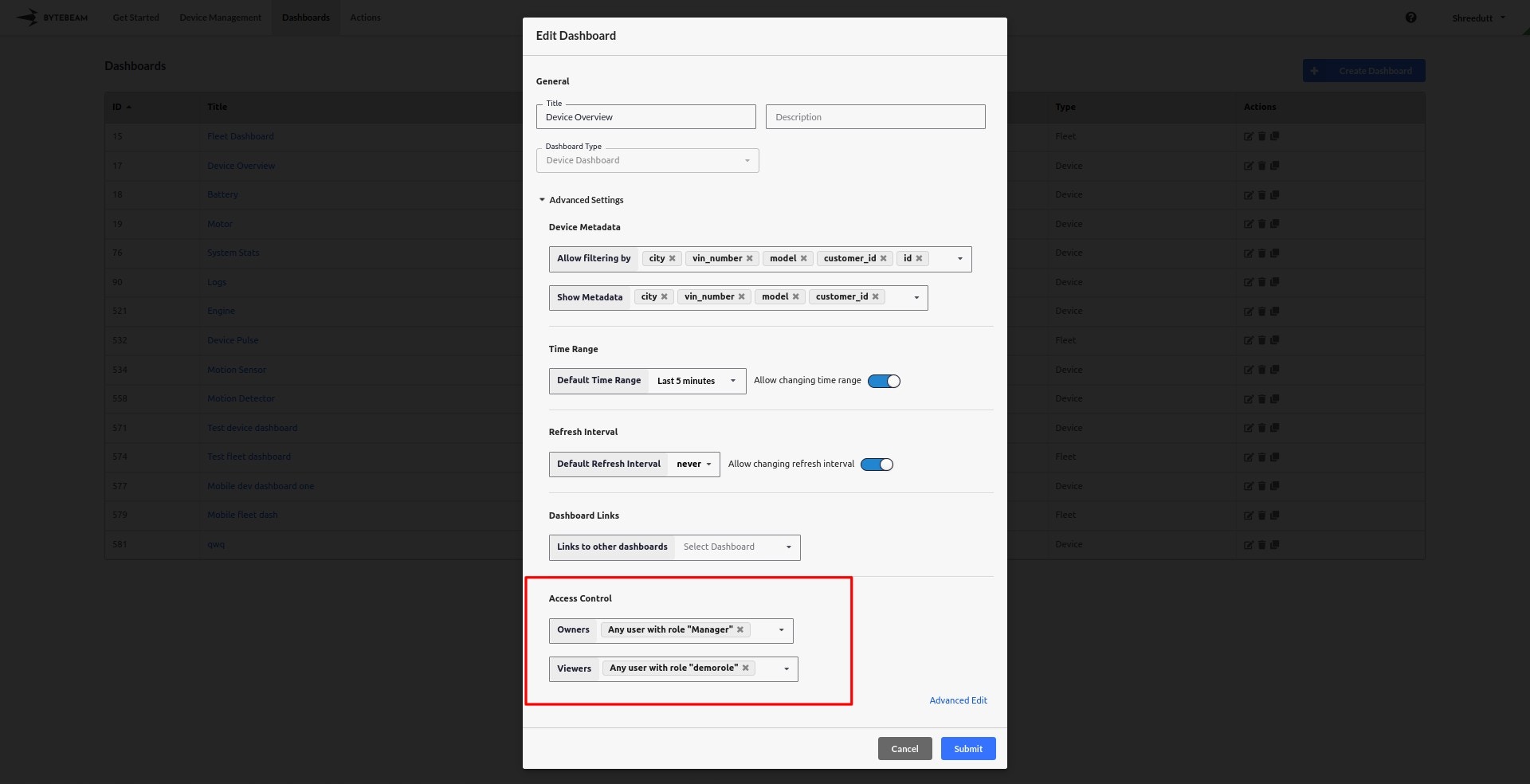
- Assign roles to viewers and owners. For example:
- Set “Manager” as the Owner.
- Set “demorole” as the Viewer.
- Adjust roles based on your organization’s access requirements.\
5
Save Changes
Once the access control settings are configured, click Save to apply the changes.
The dashboard is now shared according to the specified access control rules.
The dashboard is now shared according to the specified access control rules.
Alternatively you can modify sharing settings by staying inside the dashboard through accessing the Gear icon in the dashboard’s toolbar.