

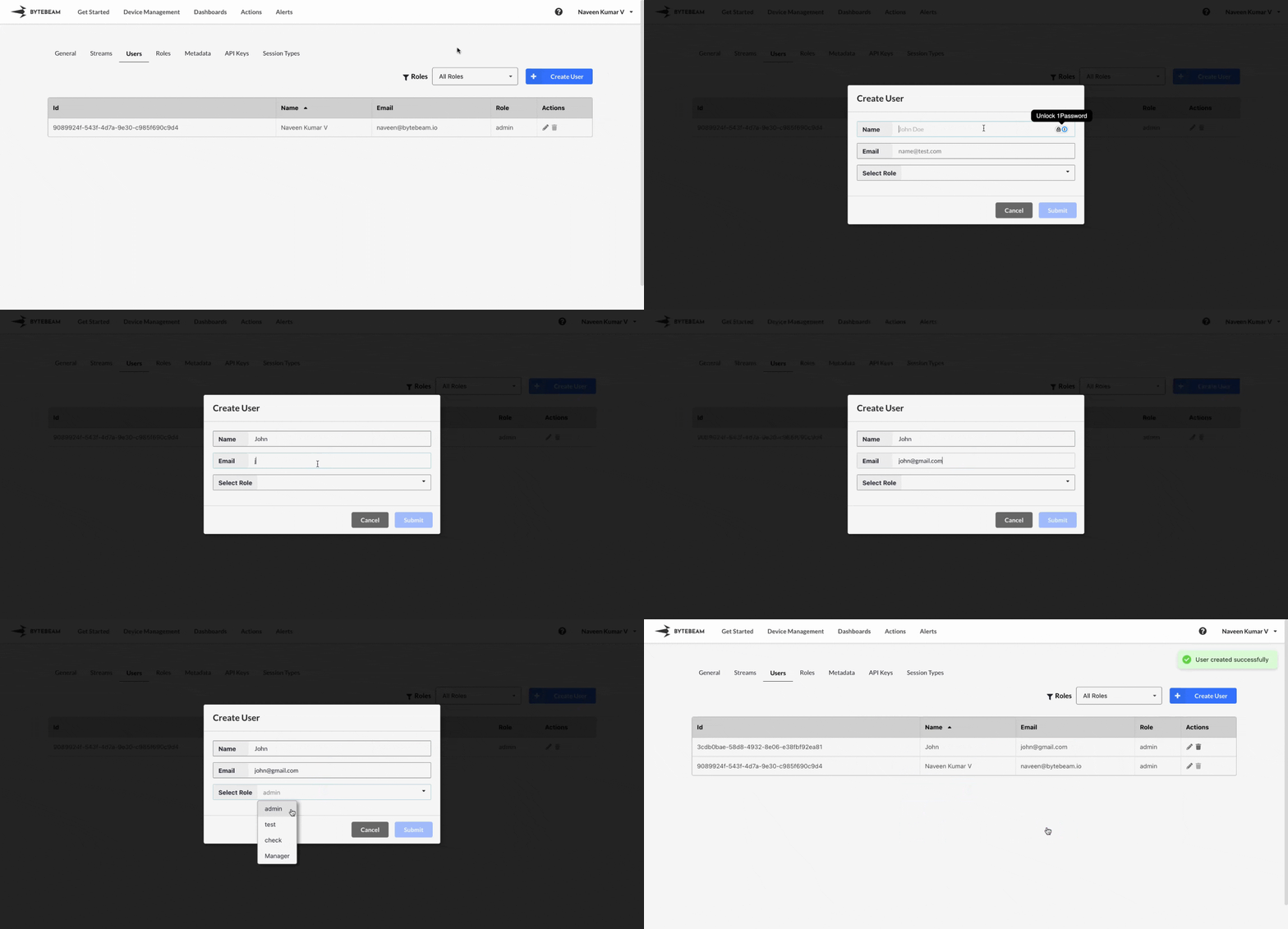
 To create a new User,
1
Access Settings Tab
Navigate to the Settings Tab by clicking on your username at the top right
2
Go to Users Tab and Initiate User Creation
Navigate to the Users tab and click on the Create User button
3
Fill Details
Enter the username, email, select a role from dropdown and click on Submit button to create the role.
Important Notes
Creating a new User will trigger a welcome e-mail to the given e-mail address.
Only admin users have the ability to view, create, edit, and delete users within a project.