

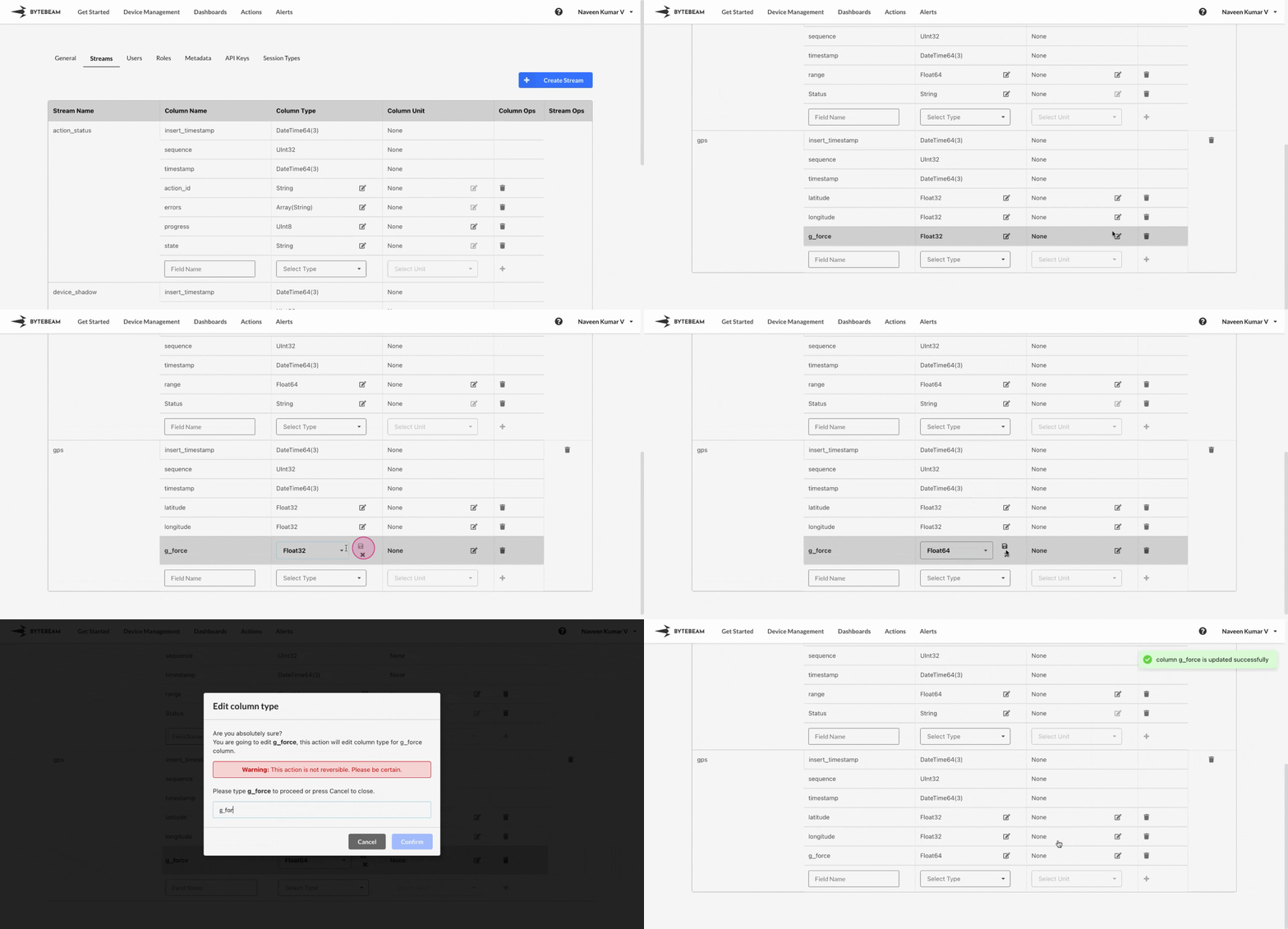
 To edit the datatype of a field in an existing stream in Bytebeam console,
1
Access Settings Tab
Navigate to the Settings Tab by clicking on your username at the top right
2
Locate the Target Stream and Field
Go to Streams tab and locate the field for which the datatype needs to be changed
3
Initiate the Datatype edit
Click on the Edit icon at the chosen field and select the desired datatype from the dropdown menu and click on the Save icon
4
Confirm the selection
Type field name in the field, and Click on Confirm to edit the datatype of the field.