

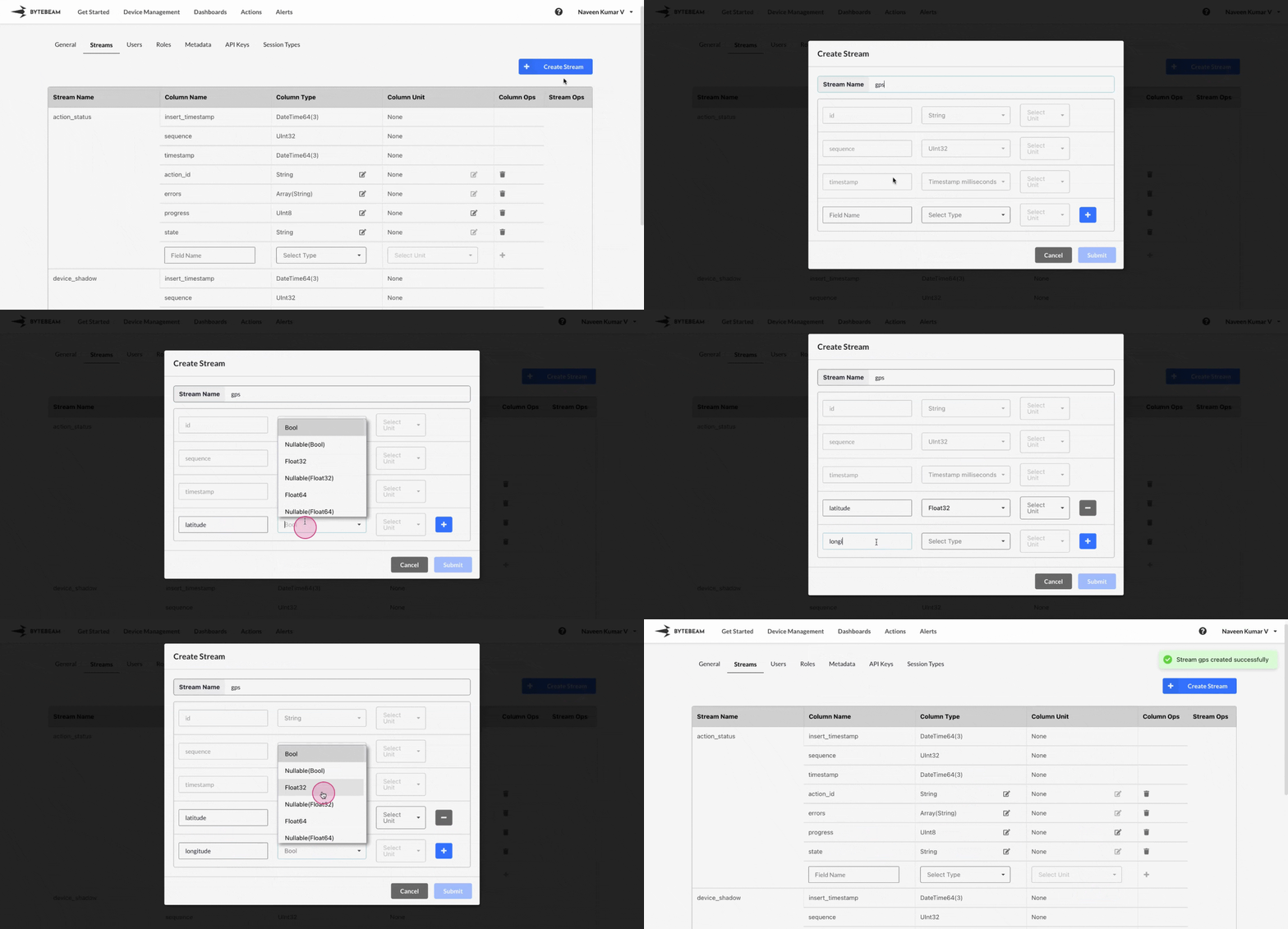
 To create a stream in Bytebeam console,
1
Access Settings Tab
Navigate to the Settings Tab by clicking on your username at the top right
2
Navigate to Streams Tab and initiate Stream Creation
Go to Streams tab and click on the Create Stream button
3
Fill Stream Details
Type the Stream name, fields along with datatypes, then click on Submit button to create the stream.
Important Info
Make sure the stream name on the platform matches the actual stream name generated by the device.
The Timestamp and Sequence fields are automatically added to every Stream by default.
- The Timestamp indicates when an event occurred, while the Sequence is an auto-increment field pushed by the device. It is used internally to ensure all data sent by the device has reached the server.
By default device_shadow and action_status streams get created for every new project