

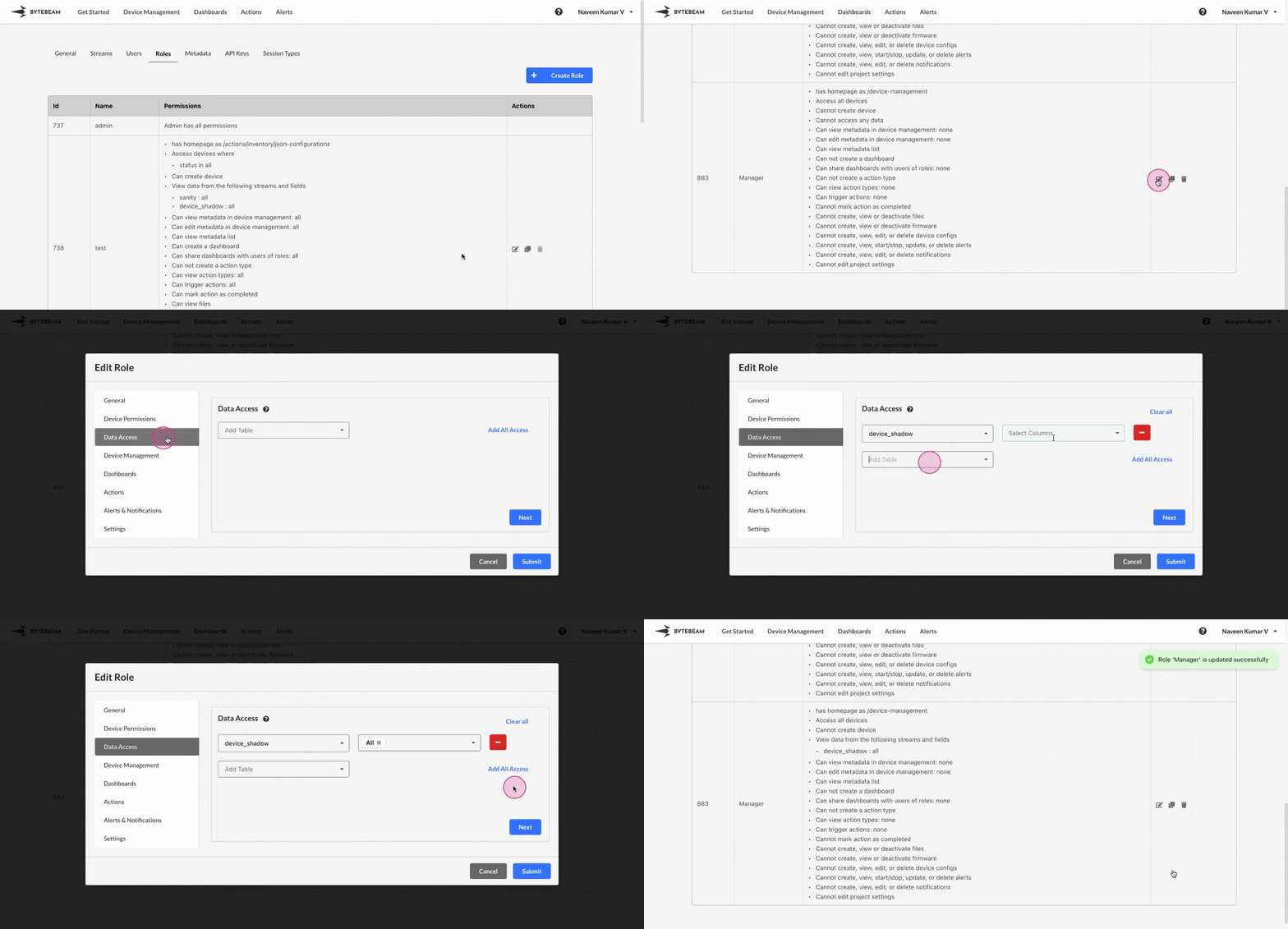
 To edit a Role in Bytebeam console,
1
Access Settings Tab
Navigate to the Settings Tab by clicking on your username at the top right
2
Go to Roles Tab and Initiate Role Edit
Navigate to the Roles tab, locate the role click on the edit icon against it.
3
Fill Details
Change the details from the Tabs and click on Submit button to edit the role.