

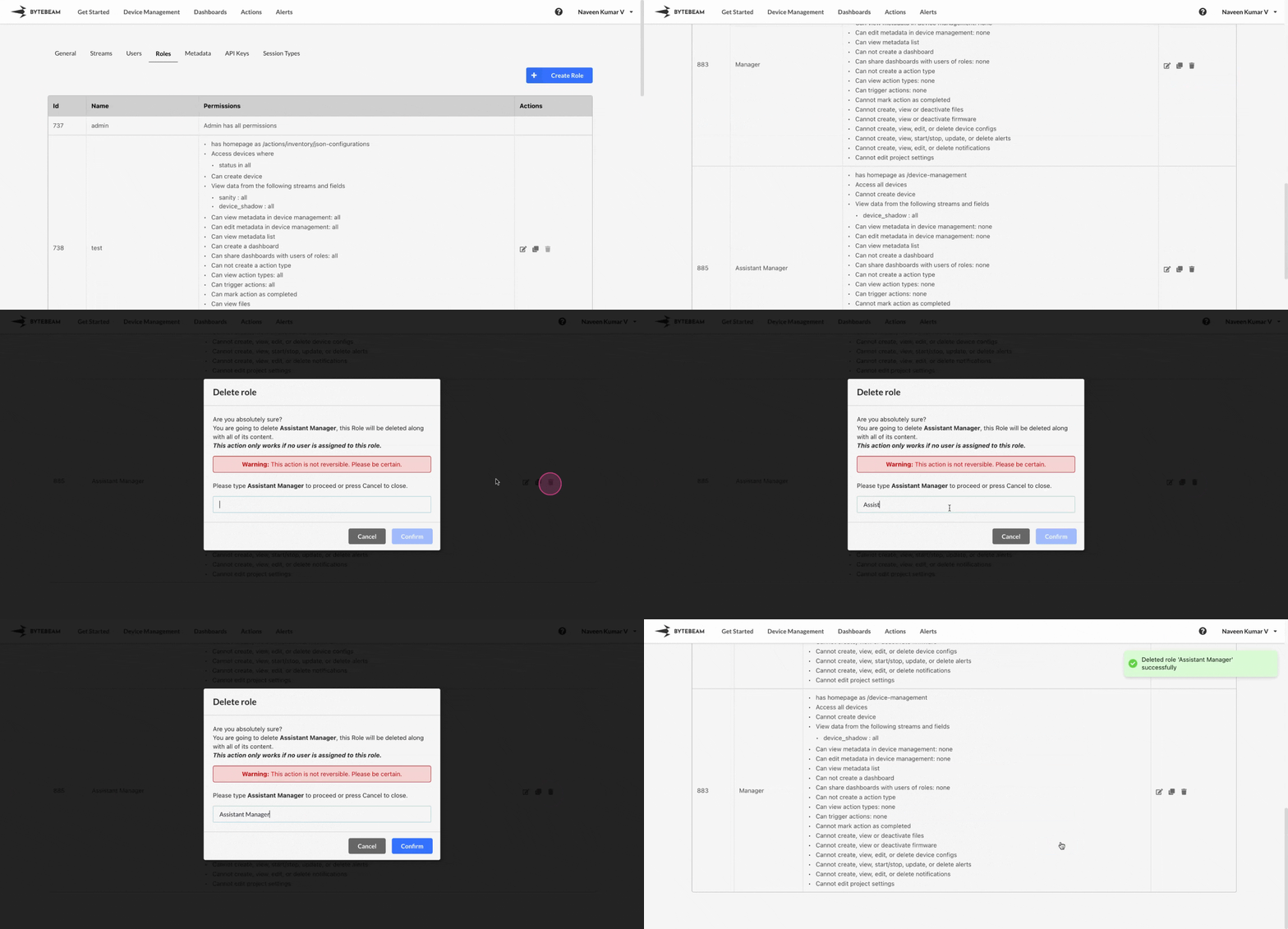
 To delete a role in Bytebeam console,
1
Access Settings Tab
Navigate to the Settings tab by clicking on your username at the top right
2
Locate the Target Role
Go to Roles tab and scroll to the Role which needs to be deleted
3
Initiate the Role Deletion
Click on the Trash 🗑 icon against the role you would like to delete
4
Confirm the selection
Type role name in the field, and Click on Confirm to delete it.
The role cannot be deleted if it’s assigned to any of the users