

Overview
WhatsApp notification rules allow you to send real-time alerts to a specified phone number(s) via WhatsApp when certain conditions or thresholds in your data streams are met. Ideal for urgent messages, WhatsApp notifications ensure important updates reach recipients directly in their inbox. This method is perfect for delivering timely alerts and ensuring swift action when needed.Creating WhatsApp Notification Rule
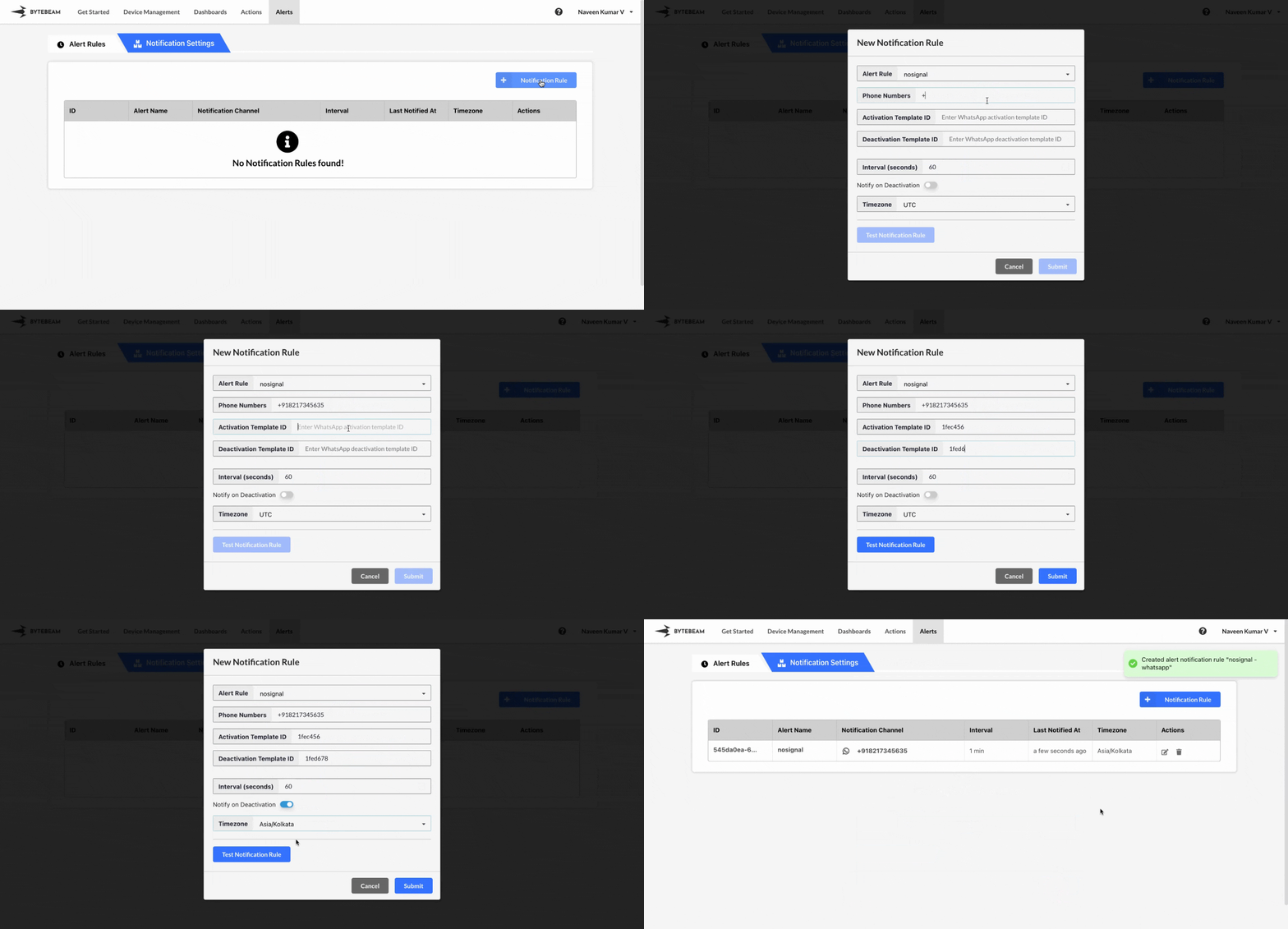 To create a WhatsApp Notification in the Bytebeam console:
1
Access Notification Rules
Navigate to the Alerts tab and click on Notification Rules.
2
Initiate Creation
Click on the + Notification Rule button and select the WhatsApp option.
3
Fill Details
Enter the notification rule name and the phone number(s) (in format followed by the country code(Ex:+91,+1)) where you want the WhatsApp notifications to be sent. Provide the Activation Template ID that corresponds to the pre-approved WhatsApp template. You can also select the created alert rules, enable Notify on Deactivation toggle and notification interval, define how frequently the WhatsApp message should be sent, and specify the timezone. Finally, click Submit.
You can test the notification by clicking on Test Notification to ensure the WhatsApp message is sent correctly to the specified phone number.
Hover over the notification rule name to view its ID and name in the tooltip. Click on the name to copy both to the clipboard.
Editing WhatsApp Notification Rule
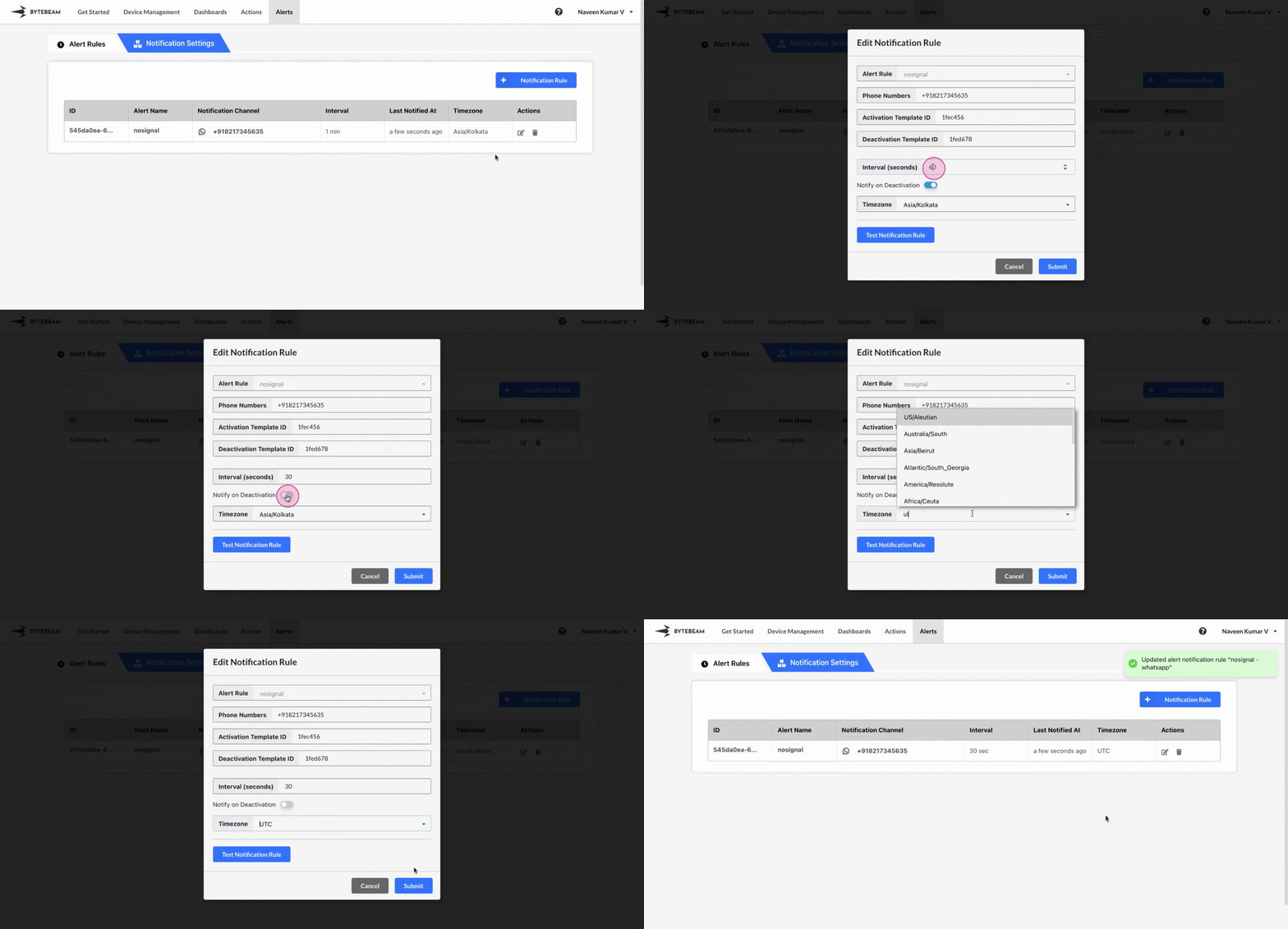 To edit an existing WhatsApp Notification in the Bytebeam console:
1
Access Notification Rules
Navigate to the Alerts tab and click on Notification Rules.
2
Initiate Edit
Find the WhatsApp notification in the Notification Rules and click the Edit icon next to it.
3
Modify Details
You can update the phone number(s), change the notification interval, modify the activation template ID, update the timeone and enable or disable toggle for notifying on deactivation. Once you have made the necessary changes, click Submit to save your updates.
Deleting WhatsApp Notification Rule
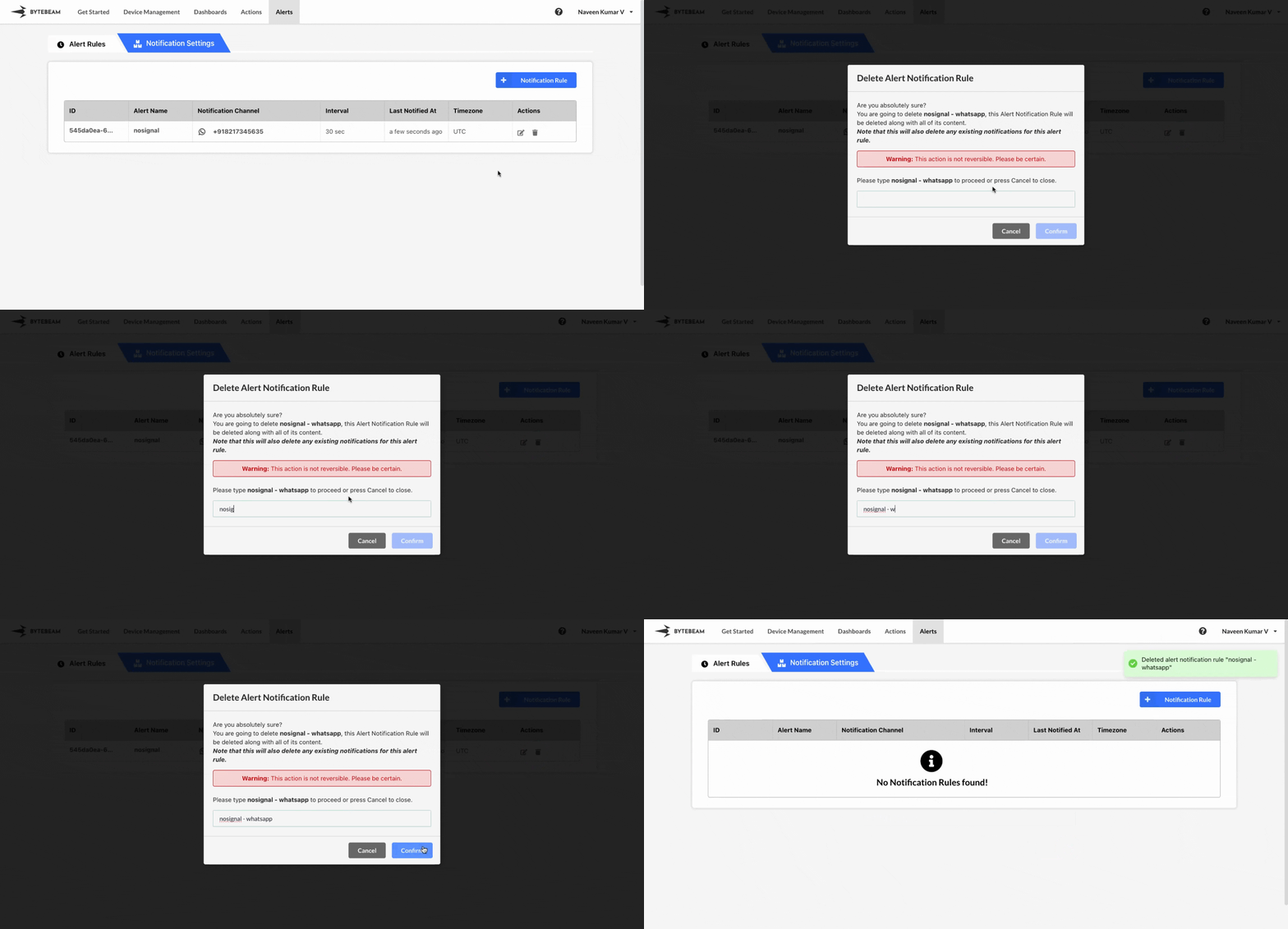 To delete an existing WhatsApp Notification in the Bytebeam console:
1
Access Notification Rules
Navigate to the Alerts tab and click on Notification Rules.
2
Initiate Deletion
Find the WhatsApp notification in the Notification Rules and click the Delete icon next to it.
3
Confirm Deletion
Enter the exact text that is shown on the modal and click Submit to delete the notification.