

Overview
Slack notification rules allow you to send alerts to a specific Slack channel when conditions or thresholds in your data streams are met. These real-time updates help your team stay informed about critical changes or events that require immediate attention, enabling quick responses and coordination. For example, a Slack notification can be triggered when a machine’s temperature exceeds a critical threshold, allowing the team to act swiftly to prevent failure.Creating Slack Notification Rule
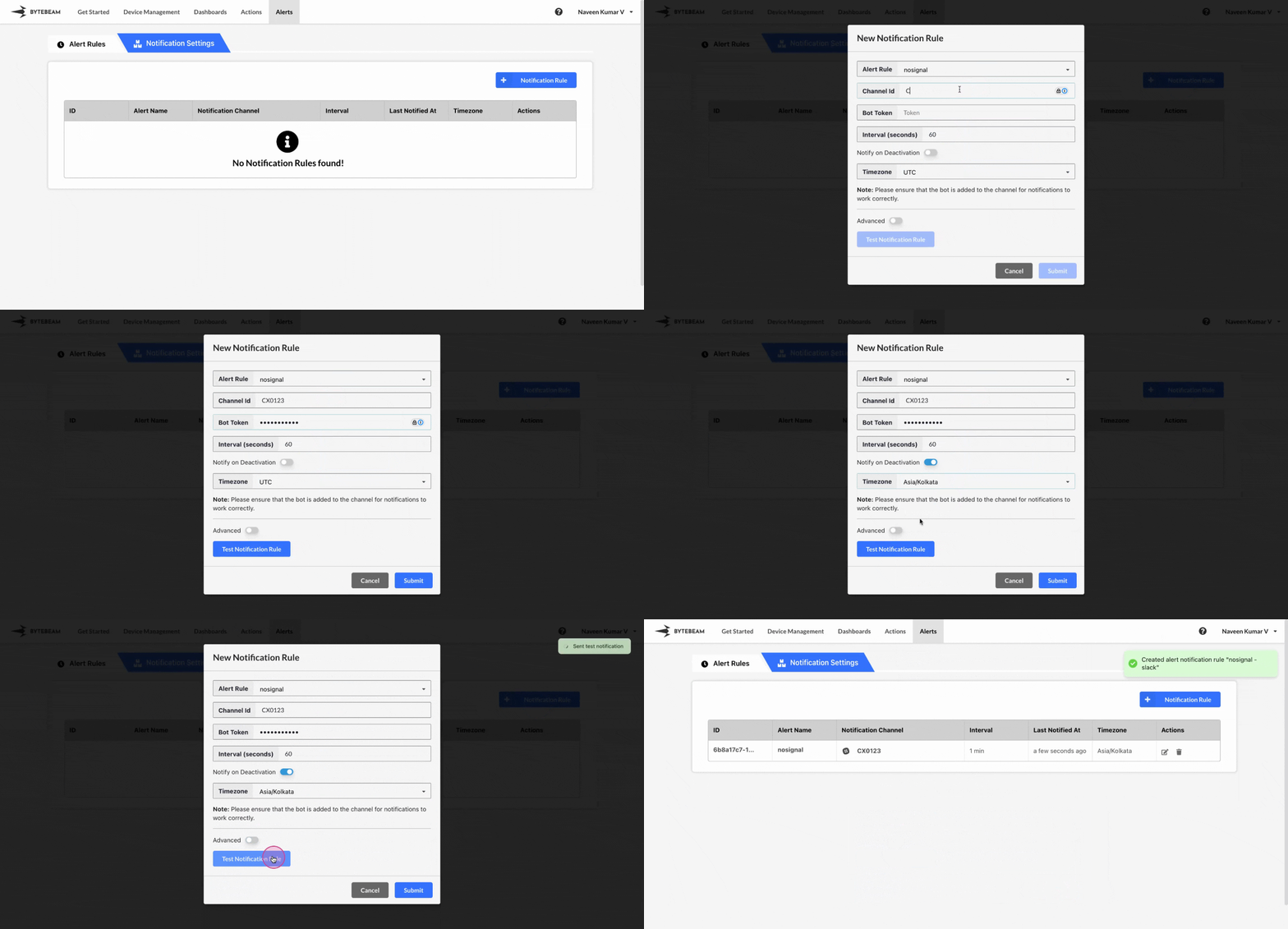 To create a Slack Notification Rule in the Bytebeam console:
1
Access Notification Rules
Navigate to the Alerts tab and click on Notification Rules.
2
Initiate Creation
Click on the + Notification Rule button and select the Slack option.
3
Fill Details
Enter the notification rule name and the Slack Channel ID and Bot Token for the channel where you want to send the notifications. Then, select the created alert rules, enable the Notify on Deactivation toggle and notification interval (which defines how frequently the notification is sent) and specify the alert template along with Timezone. Finally, click Submit.
You can test the notification by clicking on Test Notification to verify that the alert is being sent to the correct Slack channel.
You can customize the activation and deactivation templates to suit your needs by following this guide.
Hover over the notification rule name to view its ID and name in the tooltip. Click on the name to copy both to the clipboard.
Editing Slack Notification Rule
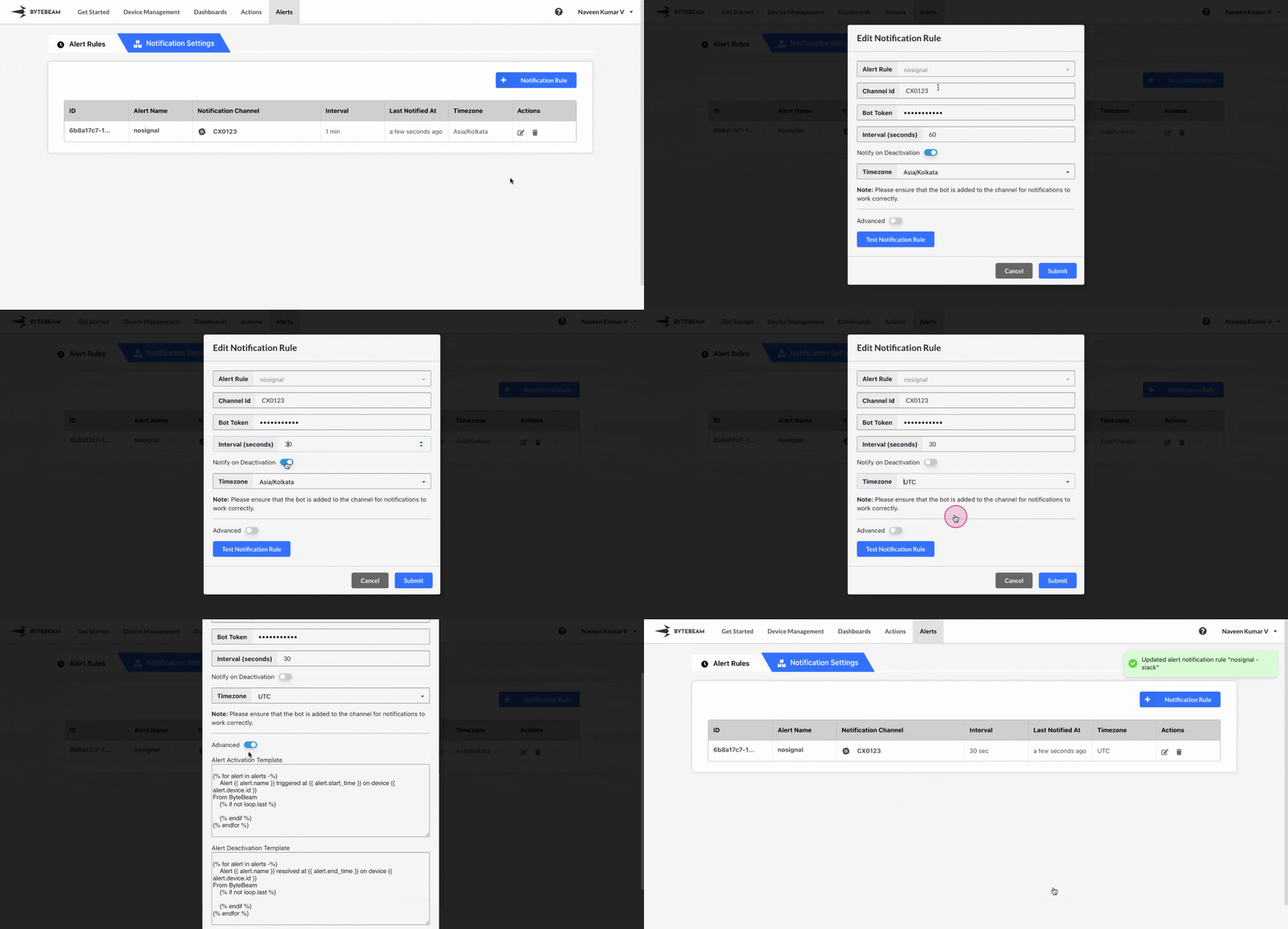 To edit an existing Slack Notification Rule in the Bytebeam console:
1
Access Notification Rules
Navigate to the Alerts tab and click on Notification Rules.
2
Initiate Edit
Find the Slack notification in the Notification Rules and click the Edit icon next to it.
3
Modify Details
You can change the Slack Channel ID, Bot Token, modify the template, timezone, notification interval and enable or disable toggle for notifying on deactivation. After making the changes, click Submit to save your modifications.
Deleting Slack Notification Rule
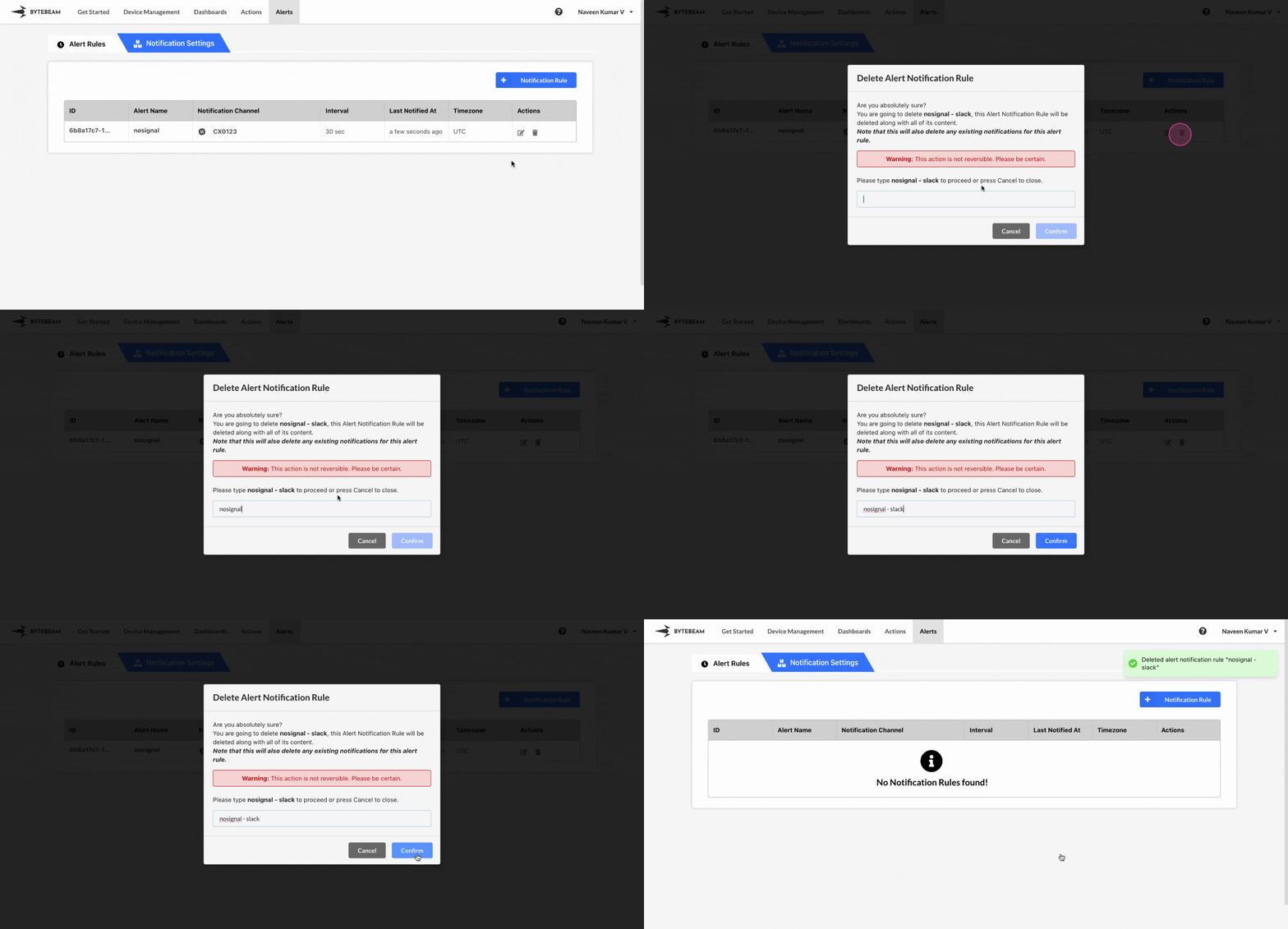 To delete an existing Slack Notification Rule in the Bytebeam console:
1
Access Notification Rules
Navigate to the Alerts tab and click on Notification Rules.
2
Initiate Deletion
Find the Slack notification in the Notification Rules and click the Delete icon next to it.
3
Confirm Deletion
Enter the exact text that is shown on the modal and click Submit to delete the notification.