

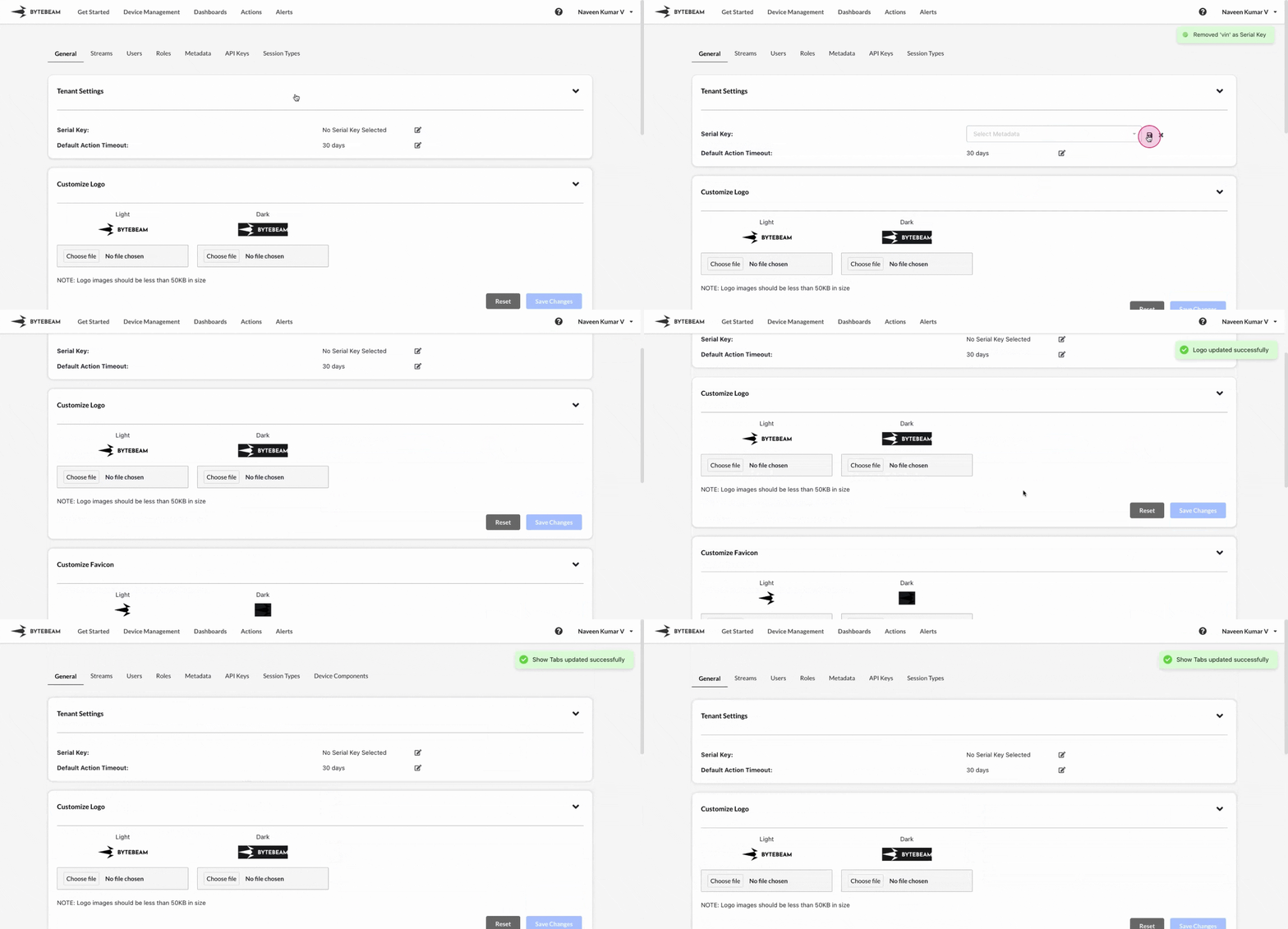
 All features in the General settings are applied at the project level and are applicable to all users within that project.
Serial Key
This feature allows you to set any metadata key as a serial key, replacing the device ID throughout the console. For example, if you have a metadata key such as the device’s registration number, you can use it to identify the device instead of the default Device ID. To set a metadata key as serial key,1
Access Settings Tab
Navigate to the Settings Tab by clicking on your username at the top right
2
Go to General Tab and Initiate Setting of Serial Key
Navigate to the General tab and click on the Edit icon at the serial key section
3
Fill Details
Select the metadata key from the dropdown and click on Save icon to set the serial key.
Global Timeout
The global timeout applies to all action types that are stuck in any state other than “Scheduled,” “Failed,” or “Completed.” To configure the global timeout:1
Access Settings Tab
Navigate to the Settings tab by clicking on your username at the top right.
2
Edit Global Timeout
Go to the General tab, and click the edit icon next to Default Action Timeout.
3
Set Timeout
Select a duration from the Timeout dropdown, or set a custom time, then click the Save icon.
The default global timeout for new projects is set to 30 days.
Customize Logo & Customize Favicon
You can add your logo and favicon to the console for a more personalized experience. To set a customized logo/favicon in the console,1
Access Settings Tab
Navigate to the Settings Tab by clicking on your username at the top right
2
Go to General Tab and Initiate Uploading of Logo/Favicon
Navigate to the General tab and click on the Choose File option at Dark or Light sections
3
Fill Details
Upload a picture from the system and click on Save Changes button
You can reset the uploaded logo/favicon by clicking on Reset button
Modules Enabled
This feature is used to hide unwanted tabs from the console. To enable or disable any tab in the console,1
Access Settings Tab
Navigate to the Settings Tab by clicking on your username at the top right
2
Go to General Tab and Scroll down to Modules Enabled section
Navigate to the General tab and click on the Modules Enabled accordion
3
Fill Details
Enable or Disable the toggle to show or hide any tab in the console.