

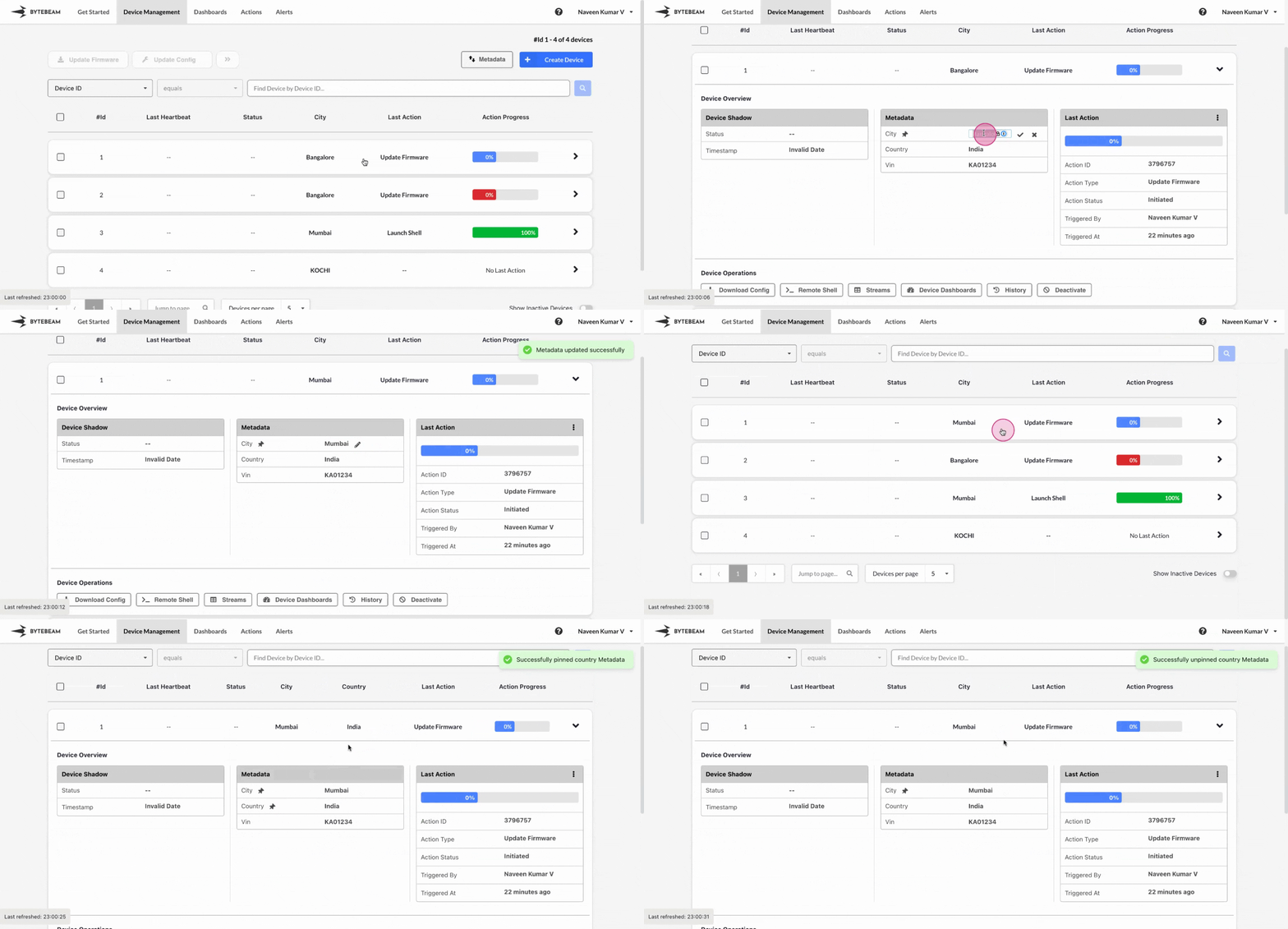
 You can update values of metadata key for any device, making it easier to identify devices when using filters.
To edit metadata key values in the Bytebeam console, follow these steps:
You can update values of metadata key for any device, making it easier to identify devices when using filters.
To edit metadata key values in the Bytebeam console, follow these steps:
1
Access Device Management Tab
Click on the Device Management tab at the top.
2
Locate the Device
Use pagination to find the device if there are many devices available.
You can use metadata keys or Device ID as filters to locate the desired device more easily.
3
Edit Metadata Key Value
- Open the Device accordion.
- Hover over the existing value of the desired metadata key.
- Click on the edit icon.
- Enter a new value or replace the existing one.
- Click the check icon to save the update.
To improve visibility in the Devices table, you can pin or unpin metadata keys by clicking on the Pin icon when you hover over the metadata key.