

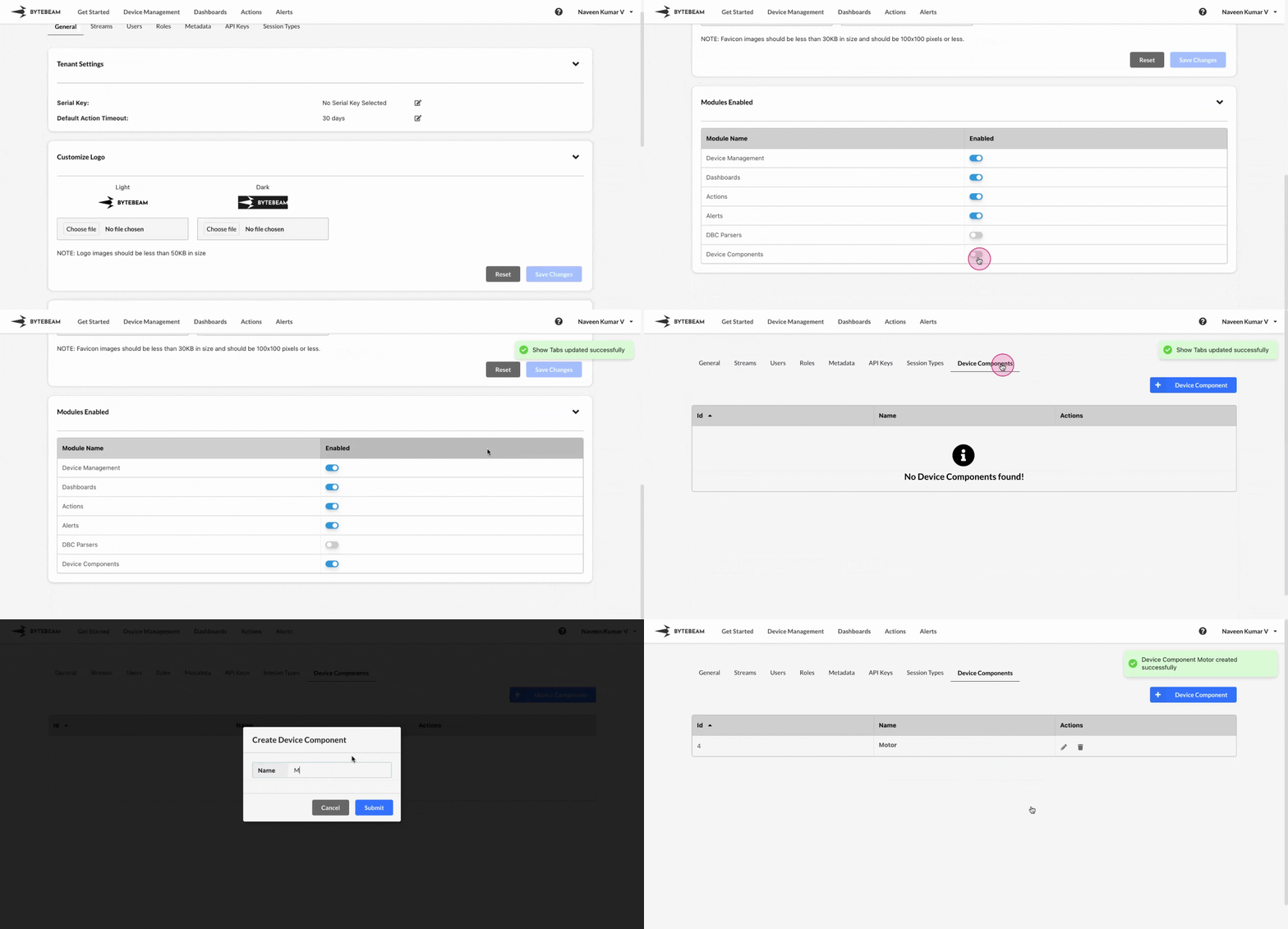
 To create a new device component in Bytebeam console,
1
Access Settings Tab
Navigate to the Settings Tab by clicking on your username at the top right
2
Go to Session Types Tab and Initiate Device Component Creation
Navigate to the Device Components tab and click on the Create Device Component button
3
Fill Details
Type the device component name and click on Submit button to it.
Upon creation, each device component will appear as separate tabs in the Actions/Inventory section