

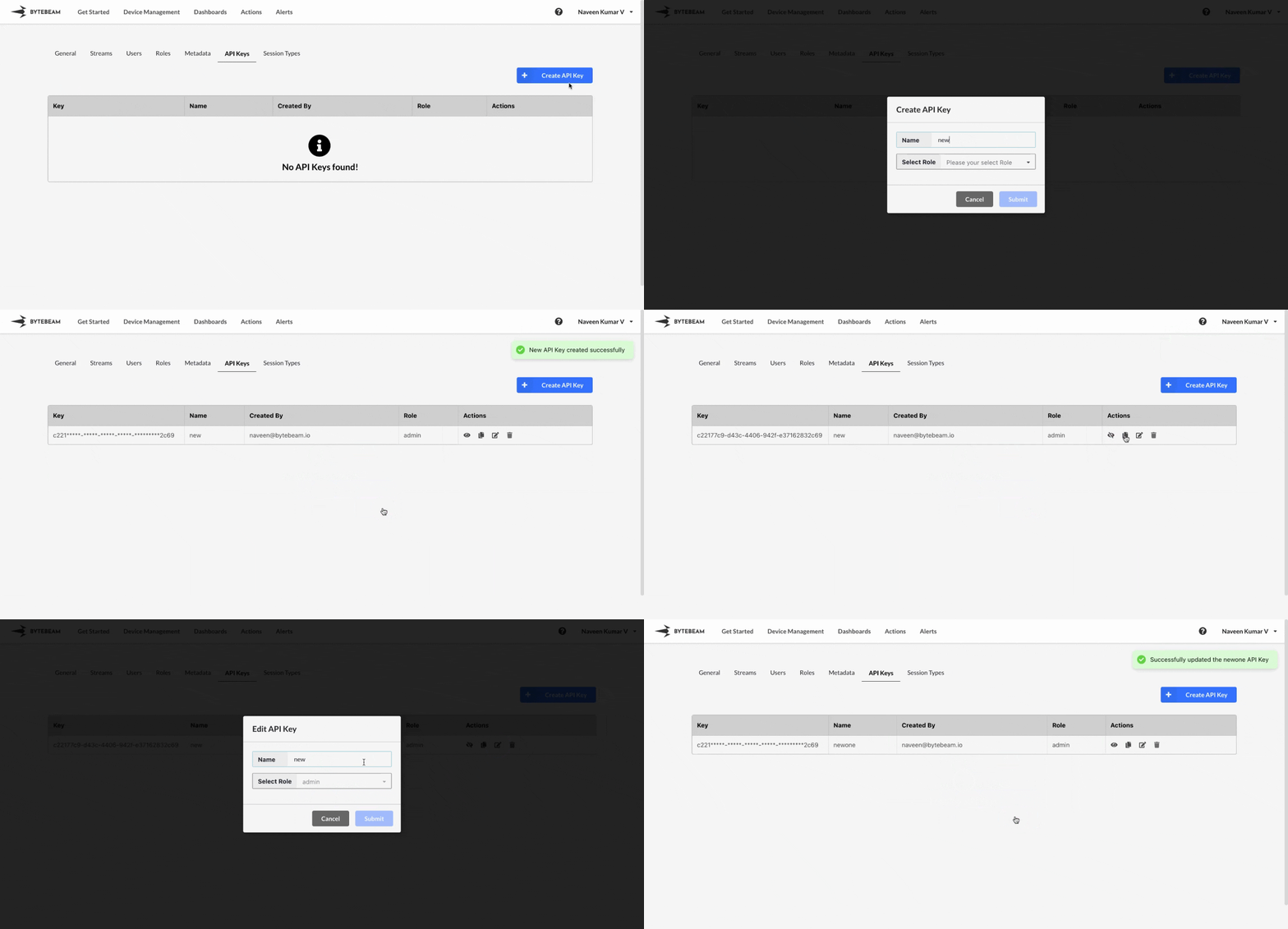
 To create an API key in Bytebeam console,
1
Access Settings
Navigate to Settings by clicking your username at the top right.
2
Go to API Keys and Initiate Creation
Navigate to the API Keys Tab and click on the Create API Key button
3
Fill Details
Enter a name, select a role from the dropdown, and click Submit in the modal to create the API Key.
Important Notes
To view, copy, or edit the API Key, simply click on the respective icons located next to the API Key.