

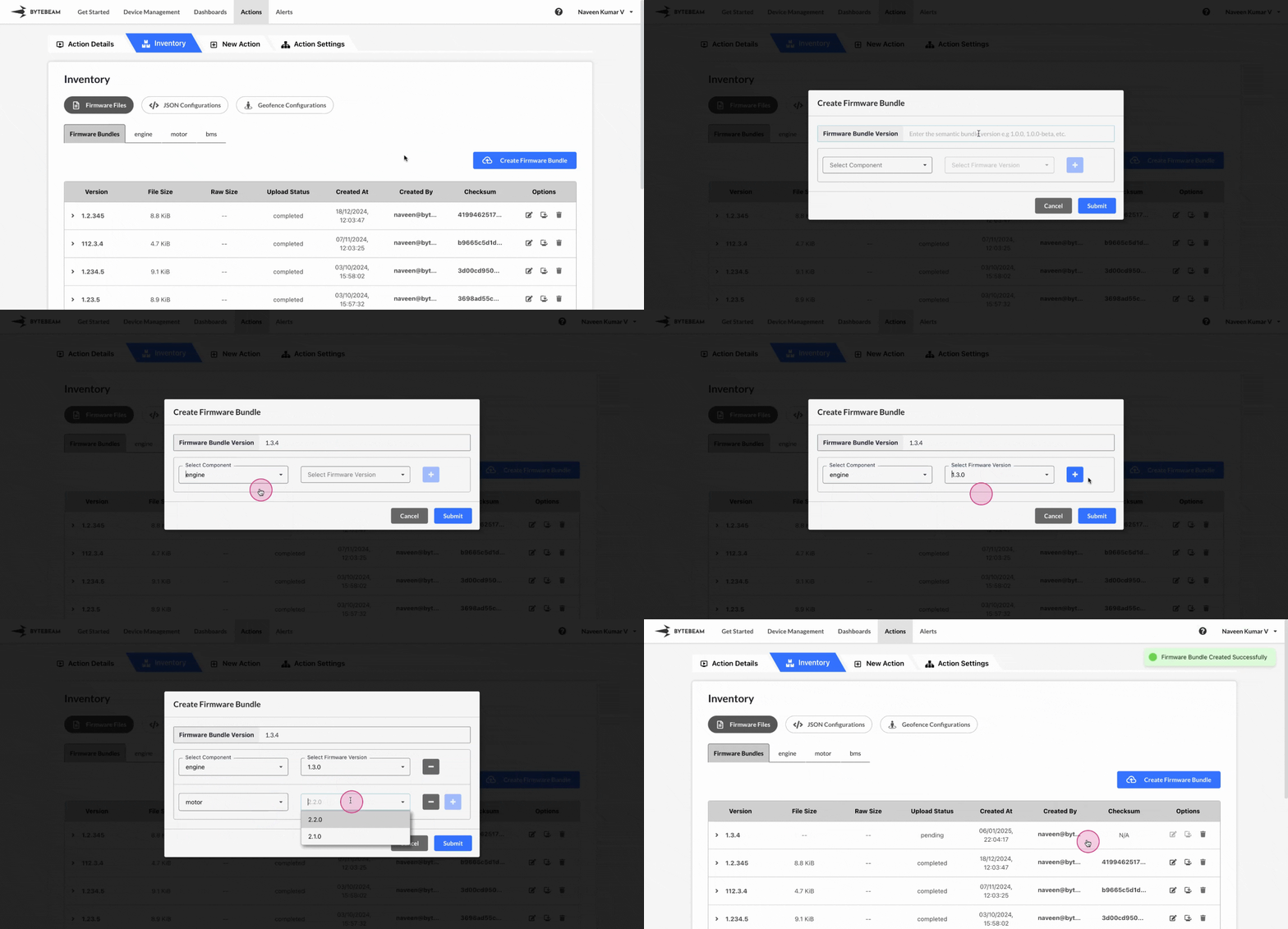
 To create a new Firmware Bundle version in Bytebeam console,
1
Access Actions Tab
Click on the Actions tab
2
Go to Inventory Tab and Access Firmware Files Tab
Navigate to the Firmware Files tab by clicking on Inventory section
3
Go to the Firmware Bundles Tab and Initiate Creation
Click on Firmware Files tab, click on the Firmware Bundles tab and click on Create Firmware Bundle button
4
Fill Details
Enter details like bundle version, select the components and their versions from the dropdown and click on Submit button.
Important Info
This new firmware bundle can be applied to a device using the update_firmware action type.