

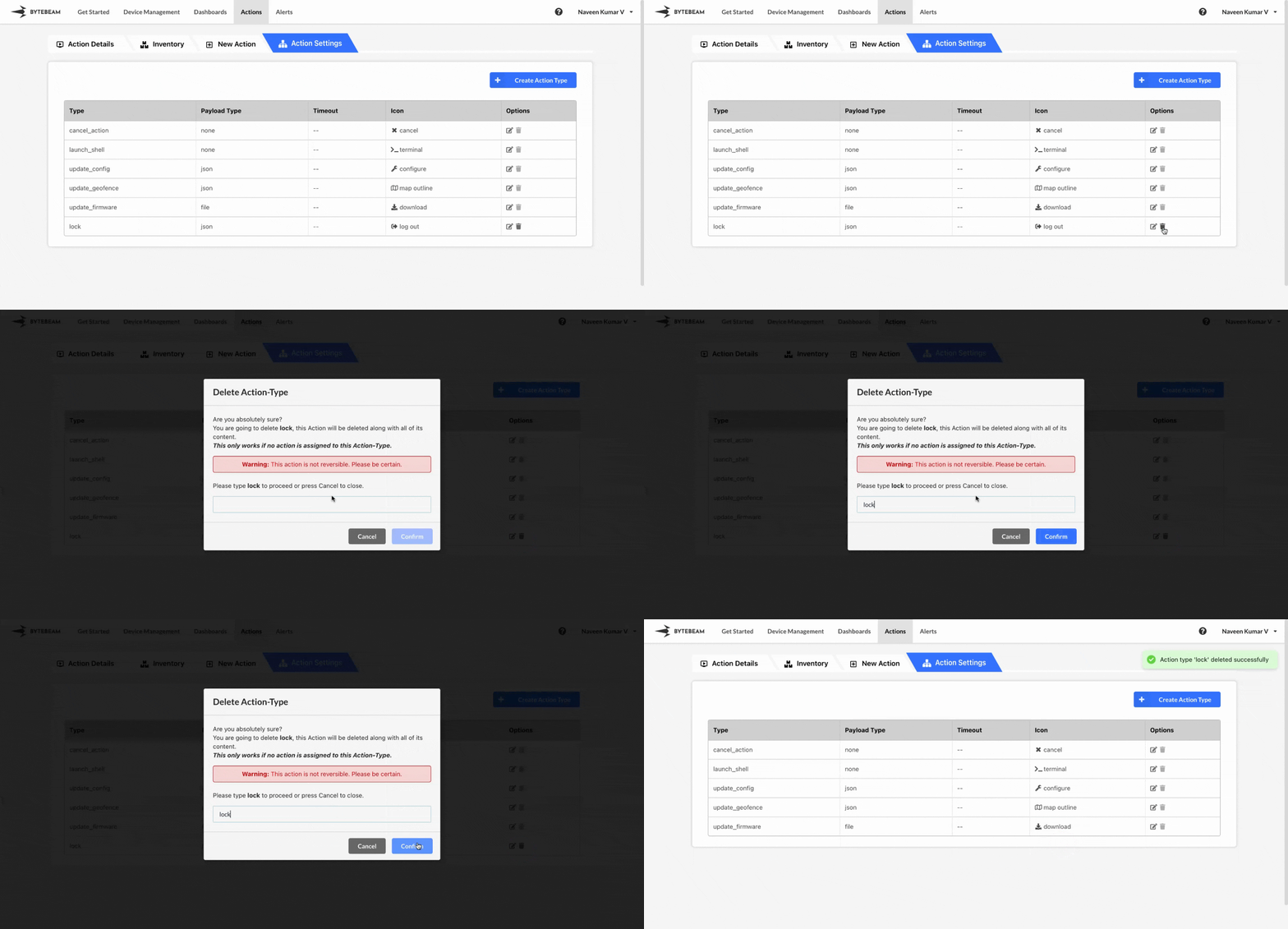
 To delete the existing action type in Bytebeam console,
1
Access Settings Tab
Navigate to the Settings Tab by clicking on your username at the top right
2
Go to Action Types Tab and Initiate Action Type Delete
Navigate to the Action Types tab and click on the trash icon against the target action type
3
Fill Details
Enter the action type name and click on Submit button to delete the action type.
The default action types cannot be deleted